
The Flexwhere Control Centre is a separate space where each organisation can manage everything behind the scenes from users and resources to bookings and insights.
The Control Centre is separate from the regular user environment where you might go to book a desk or see where your colleague is sitting for the day.
To access the Control Centre, each company has their own unique login URL. This URL looks like this:
https://companyname.flexwhere.com/cc
Here are some of the settings available in the Control Centre:
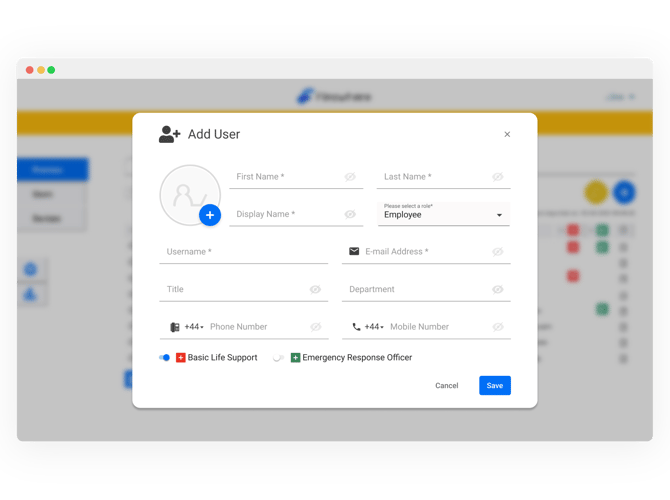
User management
- Adding users
- User roles and responsibilities
Resource and device management
- Adding resources (like desks, parking spaces, meeting rooms, or pool cars)
- Adding devices (for example, docking stations, monitors, or sensors)
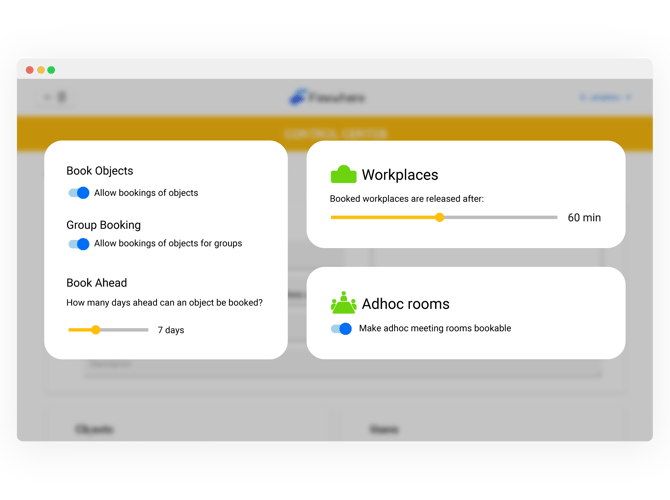
Booking management
- Allowing users to book in advance and determine how many days in advance a user can book
- Determining the timeframe at which a booking will be released (if the user doesn't use their booking)
- Allowing the booking of ad-hoc meeting rooms
- Enabling group booking of resources.
Premise management
- Managing the number of office locations
- Adding floors and floor plans
- Assigning resources to the correct locations on the floor plan
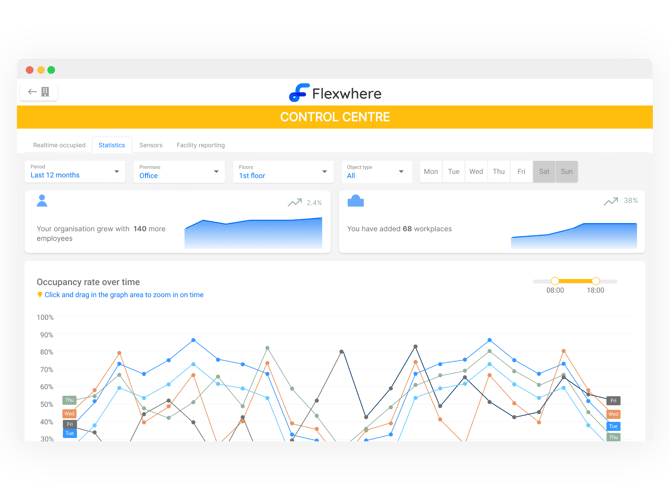
You are also able to view data and statistics in the Control Centre, for example:
- See how busy your office is in real-time
- Spot booking and occupation trends over time
- Find out which days and months are the busiest
- View occupation rates by resource type (e.g. sit-stand desks used 88% of the time)
Also read: How do I log into the Control Centre?