



Desk booking for guests

Professional workspace for office guests

Clients visiting your office. Freelancers working with your team for a few days. Job applicants coming in for an interview. Without a clear way to manage workspaces for visitors, guests often end up in meeting rooms or searching for an available desk. With Flexwhere, you can easily arrange desks for guests in advance or give temporary access, keeping your office organised and welcoming.

new employee greets the office manager

Companies love Flexwhere

Two ways to arrange

desks for guests

Flexwhere offers two simple ways to manage workspaces for visitors.

Arrows

Book a desk for a guest

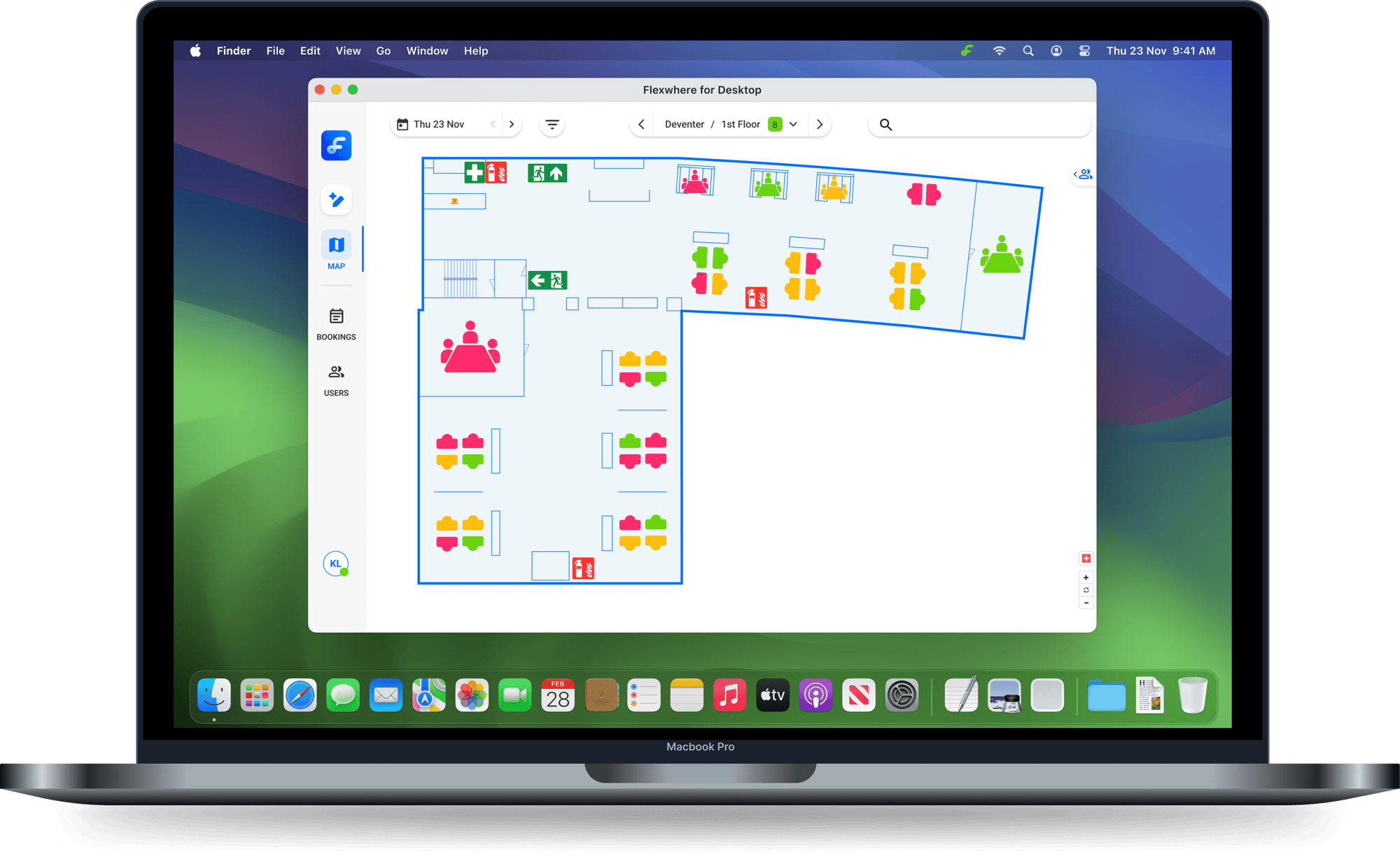
The easiest option is to book a desk on behalf of your guest. Admins, Managers, and Desk Planners can reserve a workspace for a visitor before they arrive. The guest does not need a Flexwhere account and can simply use the desk when they come to the office. Your team keeps a clear overview of who will be present and which desks are reserved.

FW for Desktop - EN
  • Job applicants visiting for interviews
  • Short client visits
  • Partners or consultants working in the office for a day

Give temporary access 

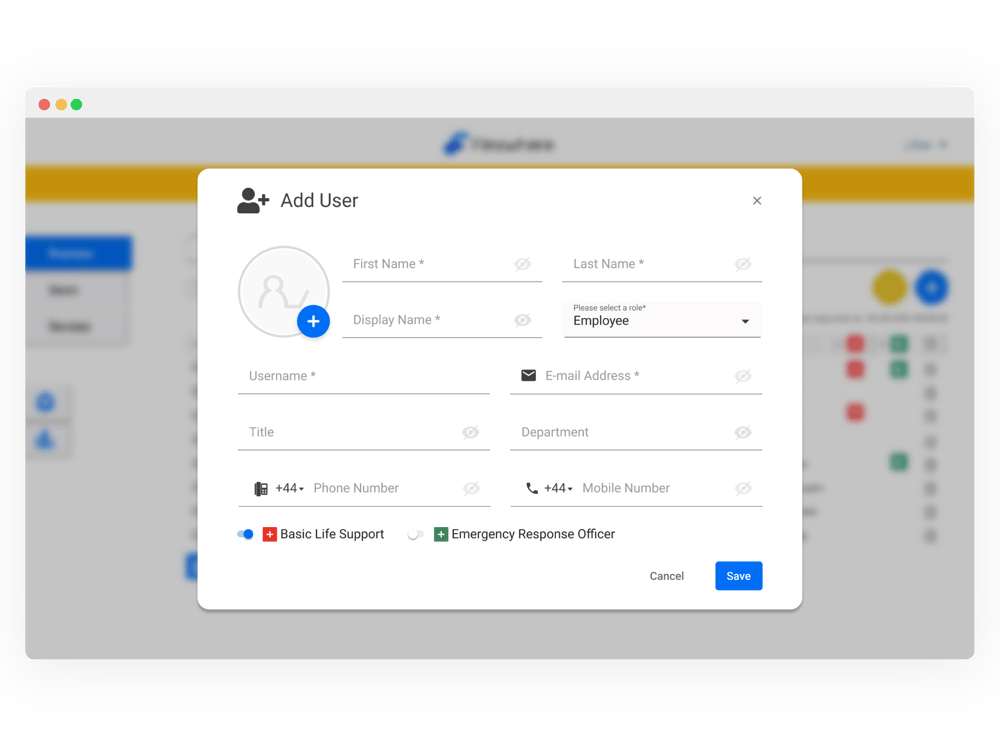
If a visitor needs more flexibility, you can add them as a temporary user. Guests can log in to Flexwhere themselves and choose a desk, just like regular employees. Temporary users can access it instantly through a web browser, without needing to install any software. When their visit ends, their access can simply be removed in the Control Centre.

users_UK
  • Freelancers working with your team for several days
  • External colleagues from partner organisations
  • Long-term visitors who need flexibility choosing a spot

Make office visits easier with desk booking

visitor

Professional experience for visitors

Offering a dedicated workspace shows visitors that your organisation is organised and professional, creating a positive first impression.

monitor (1)

Clear overview of office presence

Flexwhere helps you maintain a clear overview of who is in the office and where they are working, including external visitors.

data (1)

Better use of available workspaces

By including visitors in desk booking, you get a more accurate view of office usage and can use your workspace more efficiently.

planning

Better planning for office days

Knowing when guests are visiting helps teams plan office capacity more effectively and avoid unexpected workspace shortages.

communication

Easier collaboration with visitors

Providing a workspace inside your office makes it easier to collaborate with freelancers, partners, and clients when they are present.

authorised-people

Controlled guest access

Not every visitor needs the same level of access. You can decide whether to simply book a desk for a guest or provide temporary access to Flexwhere.

Simple desk booking management for guests

Whether you occasionally host visitors or regularly welcome freelancers, partners, or temporary colleagues, Flexwhere makes it easy to arrange desks for guests while keeping your office organised. You stay in control of desk availability and guest access, while visitors have a clear and comfortable workspace ready when they arrive.


Curious how this works in practice?

Start your free trial or schedule a demo to see how Flexwhere helps you manage desks for guests with ease.
Frequently asked questions
Can I book a desk for a guest in Flexwhere?

Yes. Admins or Desk Planners can book a desk on behalf of a guest before they arrive. The guest does not need a Flexwhere account and can simply use the reserved workspace.

Can guests access Flexwhere themselves?

If needed, guests can be added as temporary users in the Control Centre. This allows them to log in via the web and choose an available desk themselves.

Do guests need to install Flexwhere?

No. Guests who are given access can log in using their browser, so no software installation is required.

Can I control which desks guests can use?

Yes. Organisations remain in full control of desk availability and can decide which desks can be reserved for guests.

When should you give guests temporary access to Flexwhere?

Temporary access is useful when visitors work in your office for several days or need flexibility to choose their own workspace. For short visits, booking a desk on their behalf might be a better option.

Check out other core features

Looking for a complete desk sharing app?
Flexwhere also offers meeting room booking and office analytics.